Host a 3 Step Mini League Standings Update That Sparks Weekly Banter

Keep your mini-league chat lively by posting a short, predictable standings update every gameweek: live, then confirmed, then an awards post. Share a provisional snapshot during the last matches, follow with a confirmed recap once the official table settles, then finish with a quick award or history post later in the week. That rhythm gives everyone a reason to check their phone, every single gameweek.
TL;DR:
- Posting a provisional live update during matches ensures the chat stays engaged, but final standings are only confirmed after bonus points and substitutions settle.
- Including movement since the last update, the points gap to nearby rivals, and a narrative line invites responses and ongoing interaction.
- Using visuals like race charts and heatmaps can accelerate reactions and highlight significant rank changes more effectively than plain numbers.
- An official or rotating host should deliver consistent, simple formats, as regularity and reliability sustain long-term chat activity better than prizes alone.
- A platform with built-in live tracking, shareable visuals, and awards simplifies weekly updates and reduces manual effort for the host.
Table of Contents
- What to include in every mini-league standings update
- Post types that keep the chat busy every single week
- How to structure updates: live, confirmed, then the extras
- Charts and visuals that get people reacting
- Why every league needs an unofficial host
- Author and platform notes
- Our take: the content matters more than the platform
- The quickest way to run these updates every week
- FAQ
What to include in every mini-league standings update
Most dying FPL chats do not lack enthusiasm. They lack a reason to open the app. A good update gives people that reason in under thirty seconds of reading.
Keep the format tight and repeat it every week so people know exactly what they are getting:
- Gameweek points for the top and bottom of the table (or the full list if your league is small enough to fit on one screen).
- Cumulative total for classic leagues, or the head-to-head result and weekly score for H2H leagues, since mixing the two formats in one post confuses everyone.
- Movement since the last update, plus the points gap to the nearest rival above and below.
- A clear flag on anything provisional, such as pending bonus points or an automatic substitution that might still get reversed.
- One line of narrative, something that invites a reply rather than just states a fact.
That last point matters more than it sounds. "Dave is top" gets no response. "Dave is top by 4 points after benching his captain last week and somehow surviving" gets ten replies. If you want a shortcut for pulling these numbers together instead of scrolling six different screens, checking your mini-league ID in a companion app saves the manual counting.
Post types that keep the chat busy every single week
Once the format is sorted, the content is what keeps people opening the chat. A handful of formats cover almost every week of the season, and you can rotate through them without ever running dry.
- Weekly winners and losers. Name the top scorer and the bottom scorer with a one-line jab each. A screenshot of their team with a caption works better than plain text.
- Captain failures. Show the points lost compared with the captain they didn't pick. "You captained Haaland for 2 points while your vice-captain hauled 14" writes itself.
- Bench points and transfer disasters. A quick "what might have been" snapshot showing points left unplayed, or a transfer made the week before a player got injured or benched.
- Chip results. Wildcard, Free Hit, Bench Boost or Triple Captain calls are built for commentary, since they are high risk and everyone has an opinion on whether the gamble paid off.
- Mini-league records and unusual stats. Lowest score of the season, most bench points wasted, longest run in the top three. These take sixty seconds to spot and give the league its own folklore.
- Weekly awards and theme weeks. A "comeback of the week" or "transfer of the week" badge, handed out by whoever is hosting that round, rotates attention and gives quieter members something to aim for.
Pro Tip: Keep one running document of league records so you are not digging through old gameweeks every time someone claims a new "worst score ever".
How to structure updates: live, confirmed, then the extras
Separating provisional and final numbers stops arguments and stops you posting something you have to correct an hour later.
- Live snapshot: post during the last matches of the gameweek, clearly labelled "provisional", covering gameweek points and rough movement only.
- Confirmed recap: post 30 to 90 minutes after the final whistle, once bonus points and automatic substitutions have settled, which is when the real bonus points live picture tends to land.
- Award or history post: post a day or two later, with no rush, covering records, awards or a look back at how this gameweek compares with last season.
Premier League guidance on the 2026/27 changes confirms why this gap exists: bonus allocation, automatic substitutions and vice-captain promotions can all shift a table after full time. Therefore, a live table is a conversation starter, not a final record. The official FPL table remains the final authority once everything settles; your job is just adding colour around it.
Charts and visuals that get people reacting
A wall of numbers gets skimmed and ignored. A small image gets screenshotted, reacted to and sent round the group a second time.
- A race chart tracking the top five managers across the season reads faster than a full table and makes rank swings obvious at a glance.
- A gameweek heatmap showing who had a green week or a red week turns ten gameweeks of form into one picture.
- A before and after image for a transfer or chip decision, showing the points with and without the gamble, makes the story obvious without explanation.
- Simple screenshots work fine if you have no design tools. A companion app that auto-generates these charts saves the manual work, but even a cropped phone screenshot beats a wall of text in a group chat.
Pro Tip: Keep any chart readable on a phone screen first. Most people will see it in a group chat, not on a laptop.
Why every league needs an unofficial host
Every mini-league that stays lively all season has one thing in common: somebody takes on the job of posting updates, starting the banter and keeping the records straight, even if nobody ever officially asked them to.
- Core duties are simple. Post the live snapshot, post the confirmed recap, run the occasional award, pin the funniest message of the week.
- Rotate the role if one person gets tired of it. A monthly rotation or a themed week (new host picks the award categories) keeps it fresh and spreads the effort.
- Keep a backup host. One person going on holiday should never be the reason the chat goes quiet for a fortnight.
- Use short templates. A saved message format cuts the weekly workload to a few minutes of copy, paste and fill in the numbers.
Author and platform notes
This piece draws on how FPL's own bonus points system works, since that is the main reason live tables move after full-time. The 2026/27 changes to the Bonus Points System shifted how defensive contributions and goalkeeper performances earn bonus, which adds extra volatility to live standings this season. The official scoring breakdown is worth bookmarking if you want to explain a big swing in points without guessing why it happened. This article is written by Przemek, who works on FPL.fun, a mini-league companion app built around exactly this live-then-confirmed workflow.

Our take: the content matters more than the platform
Most advice on mini-league engagement focuses on prizes, rivalries or "picking the right format". That misses the actual problem. Chats go quiet because nobody is giving people anything specific to react to, not because the league lacks stakes.

The conventional fix, usually some kind of side bet or forfeit, works for a week or two and then fades, because a prize only matters on the day it is won or lost. A repeatable weekly update works all season because it gives the chat a rhythm it can rely on.
If we had to prioritise one thing, it would be this: pick a host before gameweek one, and get them posting a consistent, predictable format from the very first week. The content ideas (awards, charts, records) are the fun part, but they only land if someone is reliably showing up to post them. A brilliant one-off post does less for a league than a mediocre post that arrives every single week without fail.
— Przemek
The quickest way to run these updates every week
We built FPL.fun because we got tired of manually chasing bonus points and automatic substitutions across six different tabs just to post one update. Our platform gives you live standings, tracking as matches unfold, and shareable visuals and weekly awards that take the manual work out of hosting.
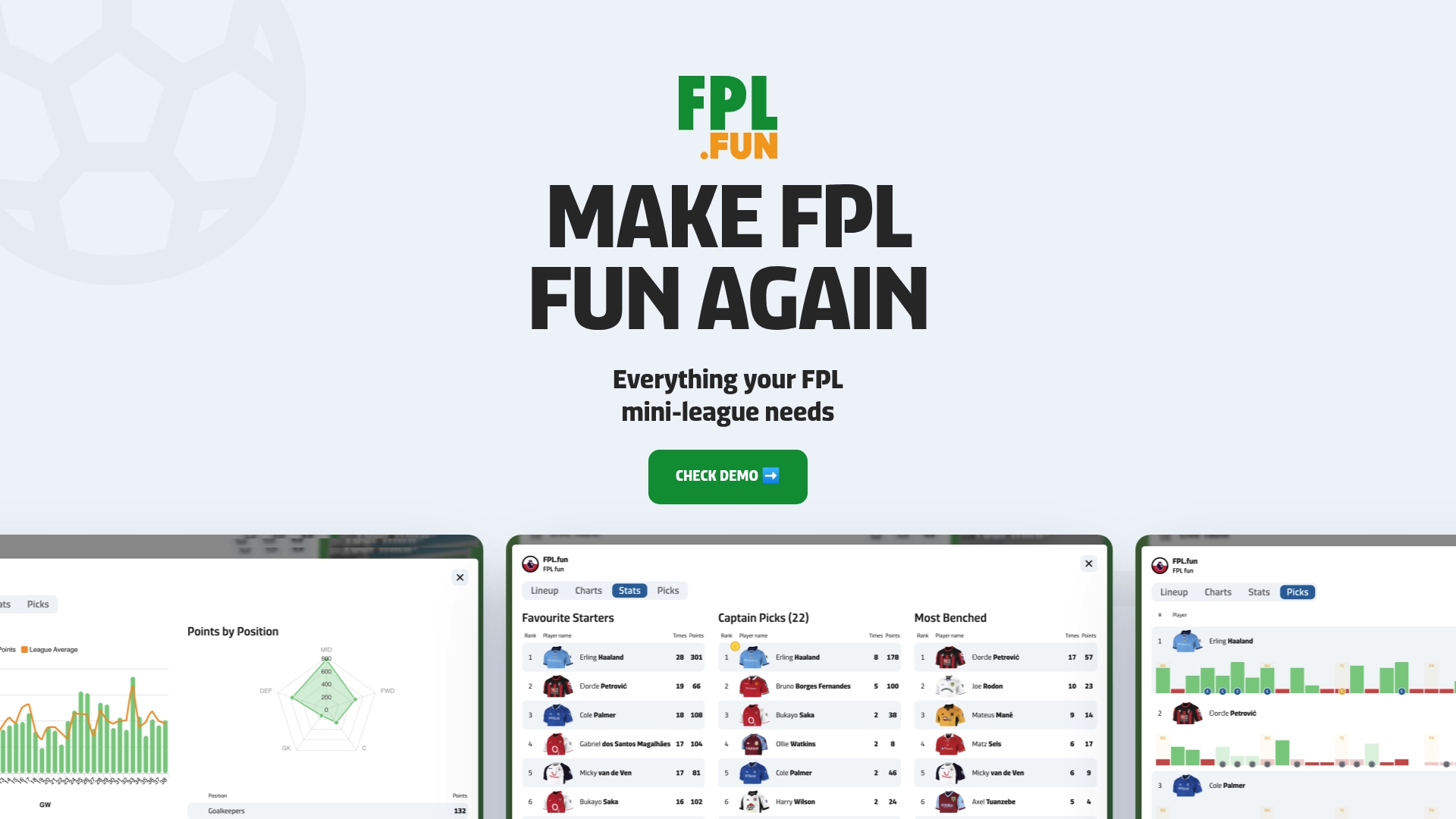
- Live standings provide up-to-date information during live matches.
- Tracking of substitutions and bonus points helps ensure your live post is accurate without extra checking.
- Shareable charts and weekly awards give your chat something to react to without extra design effort.
Find your mini-league ID and connect your league in a couple of minutes to see your first live update this gameweek.
FAQ
What should a weekly mini-league standings update include?
A good update covers gameweek points for the key managers, the cumulative total or head to head result, movement since the last post and the gap to nearby rivals. Flag anything provisional, such as pending bonus points, and add one line that invites a reply rather than just stating the table.
Why do live mini-league standings change after the match ends?
Live tables are provisional because bonus points, automatic substitutions and vice-captain promotions are only finalised after full time. Treat anything posted during a match as a conversation starter, not the final record.
How do I check my current mini-league standings quickly?
You can check standings in the official FPL app or site, or connect your league ID to a companion app with live standings for an instant view without refreshing the official table manually.
Who should be the host of an FPL mini-league chat?
Any willing member can take it on, and the role can rotate monthly or by theme week to keep it fair. The job is simple: post updates, start banter and run the occasional award, which keeps the chat active without relying on one person all season.
What is a fun, low-effort post idea for a quiet week?
Try a quick award category, such as captain fail of the week, or pull a funny team name idea from a team name generator to spark a laugh when the standings themselves are not dramatic.