5 Steps to Run an FPL Mini League and Track It Live

Create your mini league from the Leagues & Cups tab on the official Fantasy Premier League site, share the join code with your mates, pick Classic or Head to Head, flip on the League Cup if you fancy some end of season drama, then watch it all unfold on the live table once the whistle blows. A mini league is working when people actually show up each week, the cup bracket fills out properly and the standings update with captains and bonus points baked in.
TL;DR:
- Choose Classic for cumulative season scoring, or Head to Head, where weekly wins earn three points, draws one, and losses none.
- League size determines the Cup’s automatic starting round and byes; managers who join after the preceding gameweek miss the competition, whose final is Gameweek 38.
- Treat live scores as provisional until every gameweek fixture ends: bonus points can change, and automatic substitutions do not settle until the full round is complete.
- Renewing last season’s league preserves its participant list, and each manager can join up to 30 private mini leagues; save the admin Team ID for disputes.
Table of Contents
- How to create an FPL mini league (step by step)
- How to join an FPL mini league (codes, links and troubleshooting)
- How to track your mini league live (and what the numbers actually mean)
- Mini league admin essentials: renew, draft and manage members
- League Cup and prize tracking: timing, byes and setup
- Classic vs head to head: format differences and scoring rules
- Practical engagement tips: how to keep players active and reduce dropouts
- Tools that enhance live tracking and social play
- Running a mini league is really about the ritual
- FPL.fun: a practical companion for live standings and league engagement
- FAQ
- Sources
How to create an FPL mini league (step by step)
Right, first things first. Log into your FPL account, head to Leagues & Cups, and hit Create a League. You'll be asked whether you want Classic or Head to Head, and whether the league is invitational (private) rather than public. Pick invitational unless you genuinely want strangers joining.
From there it's a handful of quick decisions:
- Name your league something your mates will recognise instantly, not "League 47829".
- Choose Classic for cumulative points or Head to Head for weekly duels.
- Decide whether to enable the League Cup now or later through admin options.
- Set a starting gameweek if you want a delayed kick-off, say Gameweek 6 for a slow burn league.
- Copy your league code or invite link and get it out to your group straight away.
Worth knowing: managers can join up to 30 private mini leagues each season, so running a few side leagues alongside your main one is completely normal. Once it's live, jot down your admin Team ID somewhere safe. You'll want it for admin disputes later.
How to join an FPL mini league (codes, links and troubleshooting)
Joining is the easy bit. Whoever set up the league sends you a code or a direct link, and you drop that code into the Join a League box under Leagues & Cups on the FPL site or app according to the official FPL help pages.
A few things trip people up:
- Join after the gameweek before the League Cup starts and you're ineligible for that cup, so chase latecomers early.
- A "league is full" message usually means the admin needs to check capacity rather than you mistyping anything.
- Wrong codes are almost always a copy paste error, so ask the admin to resend the exact string.
- If a league from last season has vanished, the admin probably needs to renew it rather than you joining a new one by mistake.
How to track your mini league live (and what the numbers actually mean)
This is where the fun starts, and also where most of the confusion happens. The official live table sits under your league's standings tab and updates as matches play out, but the numbers you see early in a gameweek are provisional, not final.
A few things shift as fixtures progress:
- Bonus points are provisional until they're confirmed after the day's final match, so someone's "winning" score at 3pm on Saturday can drop by kickoff Sunday night.
- Captain picks swing scores hard. A double captain haul can flip a mini league's top three in minutes.
- Auto substitutions only lock in once the final whistle blows across the full gameweek, so a benched player's returning points sometimes appear late.
A typical live gameweek scenario: your top two managers sit three points apart at 5pm Saturday, one of them has their captain still to play on Monday night, and by the time that match finishes the gap has closed to nothing because the captain's bonus points count double, as described in official FPL guidance. That's the entire appeal of watching live rather than waiting for Monday's final table.
If you want more than the bare bones official table gives you, captain difference breakdowns and players remaining counts are where an external tracker earns its keep.
Mini league admin essentials: renew, draft and manage members
Running the same league year after year gets a lot easier once you know the shortcuts. The single best one is Renew, which keeps your entire participant list intact so you're not chasing twelve people for join codes every August, a point the Fantasy Draft 2026/27 announcement makes clear is the whole point of the feature.
For draft leagues specifically, admins can set draft order from the previous season's final standings and schedule up to three extra drafts during the campaign if squads need a refresh.
A quick pre-season checklist:
- Renew last season's league rather than creating a fresh one from scratch.
- Chase any dropouts before the season's first deadline, not after.
- Confirm draft order and schedule any extra drafts you want in advance.
- Double check league size against the cap before inviting new members.
Pro Tip: Put your Team ID or a short admin code in the league name itself, something like "SmithCup22", so members and any tracker app can confirm they've found the right league.
League Cup and prize tracking: timing, byes and setup
The League Cup is the bit that keeps a mini league interesting after the title race is decided. The final always lands in Gameweek 38, but the starting round depends entirely on how many teams you've got.
Here's how it actually plays out:
- Admins switch it on through Admin, then Options, right from league creation or any time after.
- The starting round and any byes are worked out automatically based on team count, so a 14 team league gets its bracket sorted without you touching a spreadsheet.
- Byes typically go to whoever scored highest in the qualifying week, rewarding form rather than luck of the draw.
- Anyone who joins after the gameweek before the cup starts misses out on that year's competition entirely.
Keep a simple note of who owes what for the prize pot. Cup wins are exactly the sort of thing that gets forgotten by August.
Classic vs head to head: format differences and scoring rules
Classic is the format most people start with. Points pile up across the season and whoever has the most at Gameweek 38 wins, simple as that.
Head to Head flips the whole dynamic. Each week you're matched against one rival in the league, and results are scored as a win worth 3 league points, a draw worth 1, and a loss worth 0, according to the official FPL draft rules. If two managers finish level on league points, the tiebreaker is total FPL points across the season.

Classic rewards consistency. Head to Head rewards peaking at the right week, even if your season average is mediocre, which makes for a very different kind of banter in the group chat.
Practical engagement tips: how to keep players active and reduce dropouts
A mini league lives or dies on whether people actually check in each week, and the official dashboard alone rarely does that job. Community threads on head to head strategy consistently point to the same fix: external summaries and reminders outside the FPL app itself.
- Pick one group chat or channel and stick to it all season for reminders and weekly results.
- Hand out a small weekly award, even something daft, to keep the banter flowing.
- Keep a shared note of any prize money so nobody's chasing receipts in May.
- Give late joiners a quick rundown of the rules rather than assuming they'll work it out.
Pro Tip: A silly weekly award, like "worst captain pick", often does more for engagement than the actual league table.
If you want a head start on names for those awards, a fantasy team name generator can churn out something funnier than whatever your group lands on at 11pm on a Thursday.
Tools that enhance live tracking and social play
The official FPL dashboard is built to be functional, not to fuel your group chat, which is exactly the gap companion apps step into.
- Instant standings that update as bonus points and auto subs settle, rather than waiting for the final table.
- Captain difference breakdowns so you can see exactly who gained or lost ground and why.
- Quirky weekly awards that turn a dull gameweek into something worth screenshotting.
- Shareable charts and visuals for group chats that want more than a plain screenshot of the table.
These extras don't replace the official rules, but they do make the weekly ritual a lot more fun to actually show up for.
Running a mini league is really about the ritual
The leagues that last aren't the ones with the most complicated cup brackets or the strictest rules. They're the ones where someone bothers to post the table every Monday morning with a bit of banter attached.
Keep your rules simple enough to explain in one message, and spend your actual energy on communication rather than admin perfection.
— Przemek
FPL.fun: a practical companion for live standings and league engagement
We built FPL.fun because refreshing the official table on a Monday morning got old fast, and we wanted something that made the actual week to week experience as entertaining as the rivalry itself.
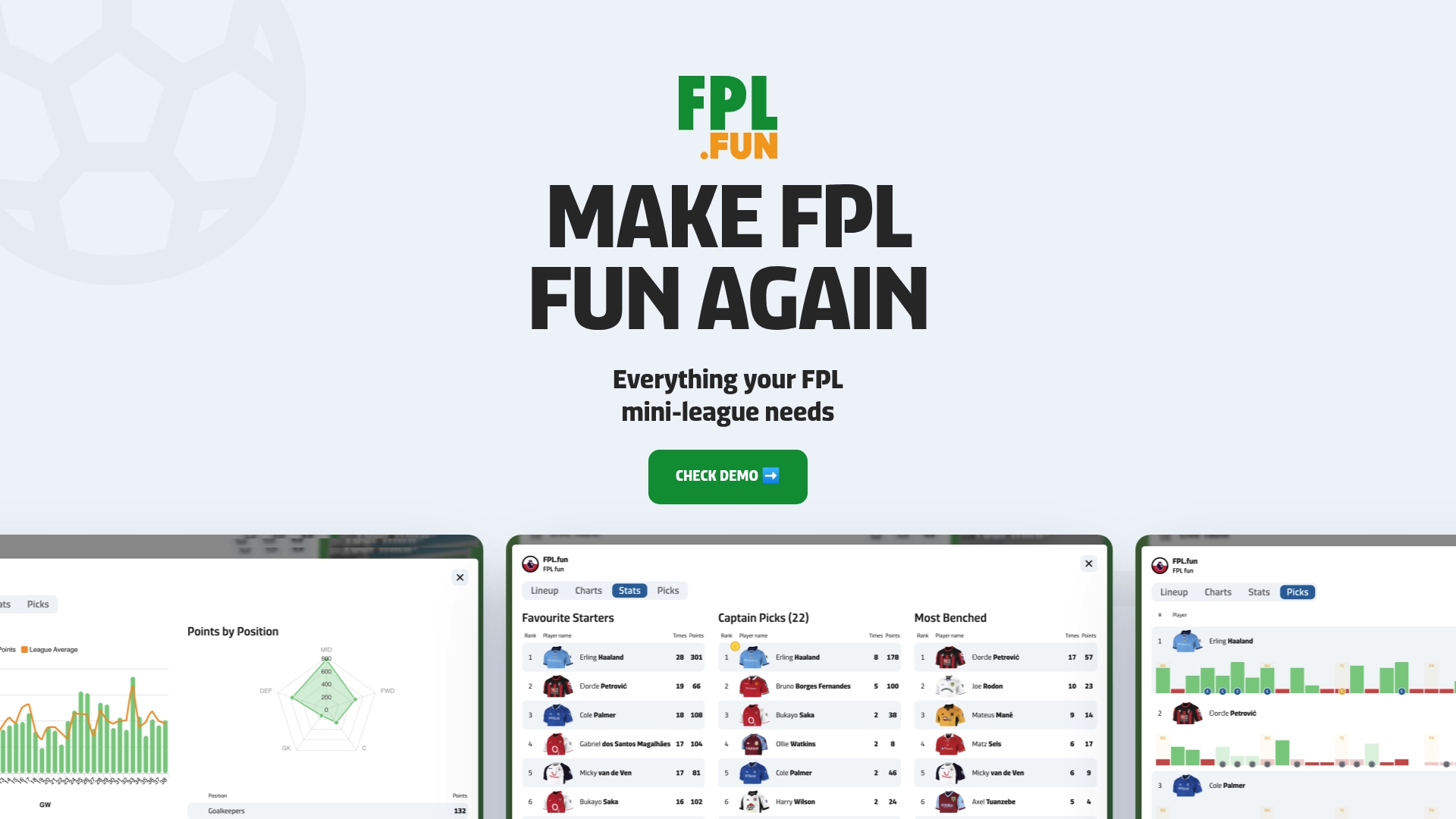
- Instant standings that reflect bonus points and auto subs as they lock in, not after everyone's gone to bed.
- Captain insights showing who gained or lost ground on their rivals each week.
- Quirky weekly awards and shareable visuals that give your group chat something to argue about.
Head over to our app to connect your league, or check pricing if you want to see what the paid plans unlock first.
FAQ
How do I create a private FPL mini league?
Sign into the official FPL site, go to Leagues & Cups, and select Create a League, choosing the invitational option so it stays private. Pick Classic or Head to Head, name your league, then share the resulting code or link with your group.
How do I join an FPL mini league with a code?
Enter the code your league admin shares in the Join a League box under Leagues & Cups on the FPL site or app. If the code doesn't work, double check for typos first since that's the most common cause.
When does the FPL League Cup start and finish?
The League Cup final always falls in Gameweek 38, while the starting round depends on how many teams are in your league. Managers who join after the gameweek before the cup begins are not eligible to take part that season.
What's the difference between Classic and Head to Head scoring?
Classic leagues rank managers by total points accumulated across the season. Head to Head leagues score weekly matchups with 3 points for a win, 1 for a draw and 0 for a loss, using total FPL points as the tiebreaker when league points are level.
Why do mini league standings change after a match finishes?
Early scores on the live table are provisional because bonus points are only confirmed after each day's final match and automatic substitutions aren't applied until every fixture in that gameweek is complete. That's why a league leader on Saturday afternoon can drop a place by Monday night once everything settles.